


The Packing Lists feature allows users to create and manage packing list items for an order and track the quantities ordered, previously shipped, remaining, and currently shipped.
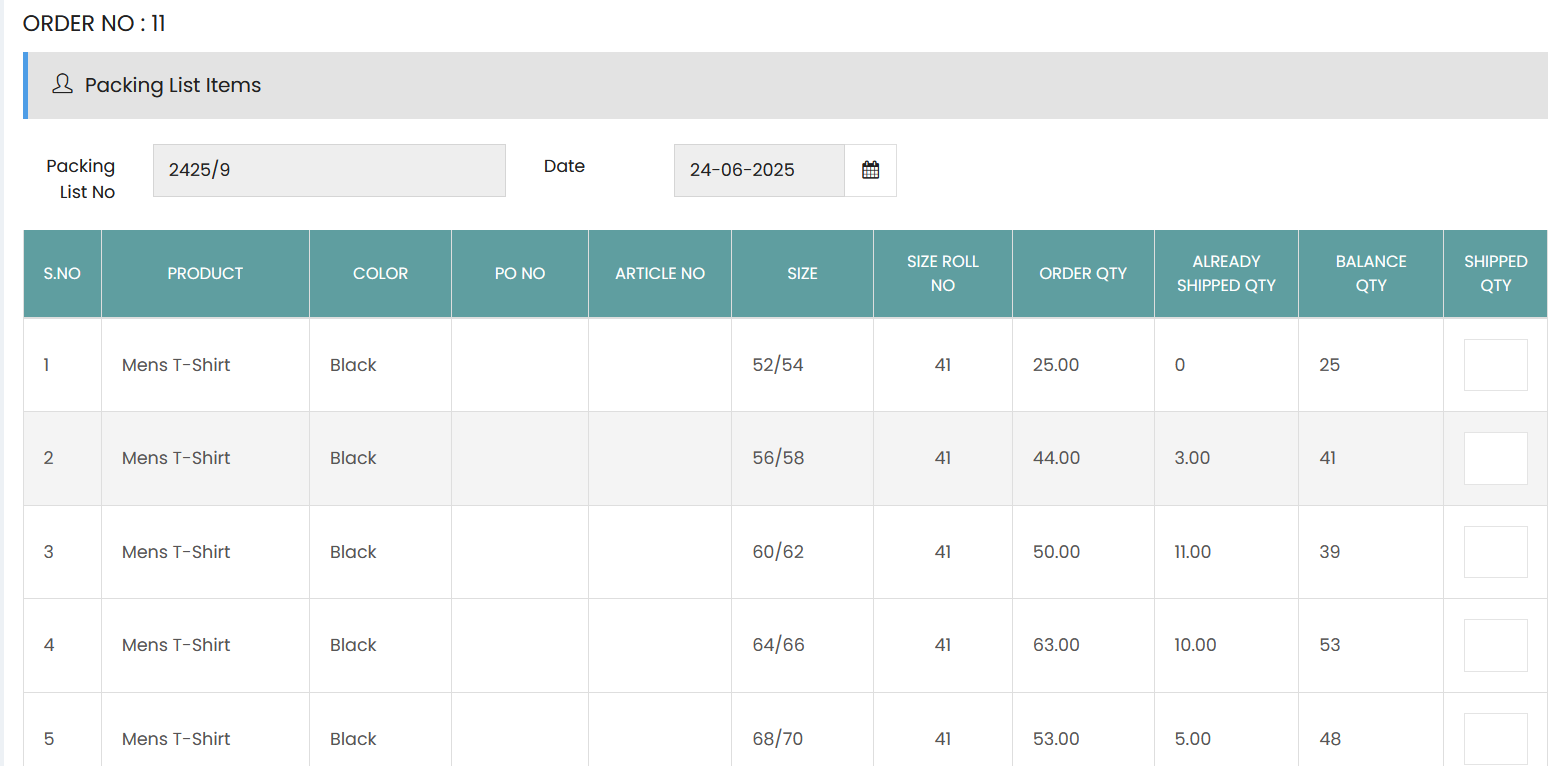
Packing List Items
The Packing List Items section displays the packing list details associated with the order:
- Packing List No – Displays the unique packing list number.
- Date – Displays the packing list date.
The packing list item table contains the following details:
- S.No – Displays the serial number of the packing list item.
- Product – Displays the product included in the packing list.
- Color – Displays the product color.
- PO No – Displays the purchase order number.
- Article No – Displays the article number.
- Size – Displays the applicable product size.
- Size Roll No – Displays the roll number associated with the size.
- Order Qty – Displays the total quantity ordered for the item.
- Already Shipped Qty – Displays the quantity that has already been shipped.
- Balance Qty – Displays the remaining quantity available for shipment.
- Shipped Qty – Enter the quantity being shipped in the current packing list.
The Shipped Qty field allows users to specify the quantity to be included in the current shipment for each product and size. The Balance Qty indicates the quantity remaining after accounting for previously shipped quantities.