


Overview
The Communication & Activity Logs section in Skynyx BMS provides a centralized record of system activities and user operations. It helps users review when an activity occurred, what operation was performed, which user performed it, and the associated IP address.
Activity Log
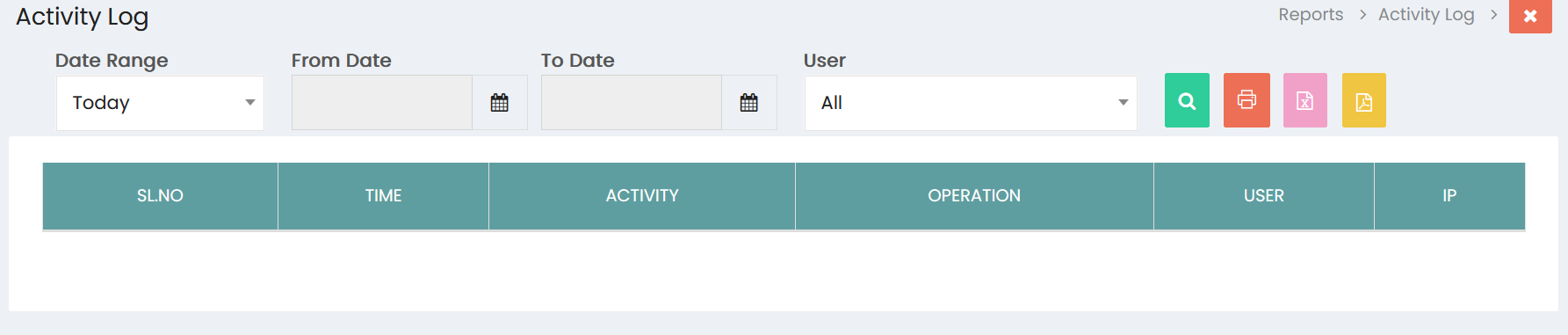
The Activity Log displays a chronological record of activities performed within the system.
Report Filters
Date Range
Select the required date range to filter activity records. The default selection is Today.
From Date
Select the starting date for the activity log using the date picker.
To Date
Select the ending date for the activity log using the date picker.
User
Select a specific user to view activities performed by that user. The default option is All.
Search
Click the Search icon to apply the selected filters and display the matching activity records.
Activity Log Details
The activity log displays the following information:
- SL.NO – Serial number of the activity record.
- TIME – Date and time when the activity occurred.
- ACTIVITY – Description or type of activity performed.
- OPERATION – Operation carried out within the system.
- USER – User who performed the activity.
- IP – IP address associated with the activity.
Report Actions
The Activity Log provides the following options:
- Print – Prints the displayed activity log.
- Excel – Exports the activity log in Excel format.
- PDF – Exports the activity log in PDF format.
Communication & Activity Log Management
The Communication & Activity Logs section enables users to:
- View recorded system activities.
- Filter activities by date range.
- Filter activities by user.
- Review activity time and operation details.
- Identify the user responsible for an operation.
- Review the associated IP address.
- Search and analyze activity records.
- Print activity logs.
- Export activity information in Excel and PDF formats.