


The Product Inspection feature allows users to record product inspection details, verify quantities, evaluate inspection results, and determine the overall inspection status.
Executive Summary
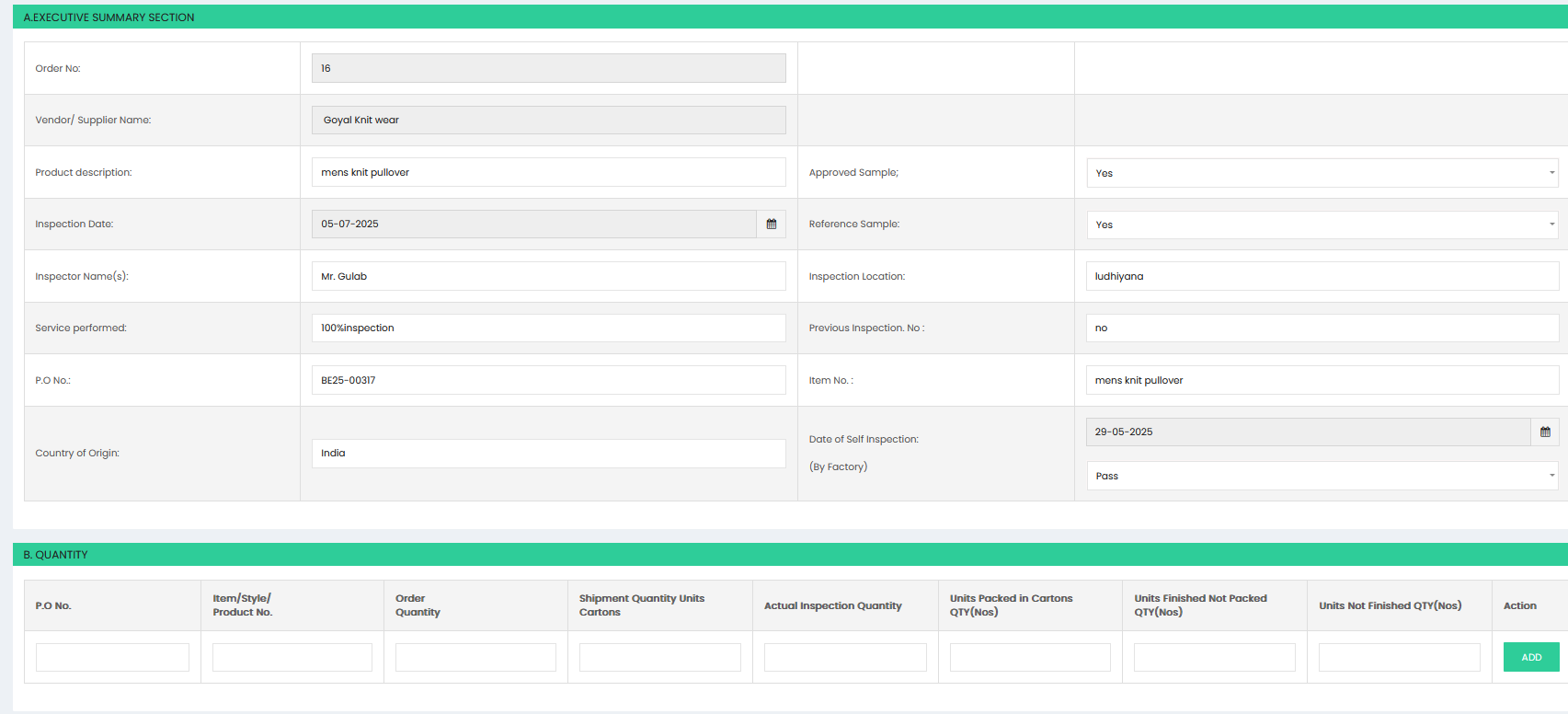
The Executive Summary section captures the general information related to the inspection:
- Order No – Displays the order number associated with the inspection.
- Vendor/Supplier Name – Displays the supplier or vendor name.
- Product Description – Enter the description of the product being inspected.
- Approved Sample – Select whether an approved sample is available.
- Inspection Date – Select the date of inspection.
- Reference Sample – Select whether a reference sample is available.
- Inspector Name(s) – Enter the name of the inspector(s).
- Inspection Location – Enter the location where the inspection is conducted.
- Service Performed – Enter the type of inspection service performed.
- Previous Inspection No. – Enter the reference number of the previous inspection, if applicable.
- P.O No. – Enter the purchase order number.
- Item No. – Enter the item or product number.
- Country of Origin – Enter the country where the product originated.
- Date of Self Inspection (By Factory) – Select the date of the factory self-inspection.
- Self Inspection Result – Select the result of the factory self-inspection.
Quantity
The Quantity section records the order and inspection quantities:
- P.O No. – Enter the purchase order number.
- Item/Style/Product No. – Enter the item, style, or product number.
- Order Quantity – Enter the total quantity ordered.
- Shipment Quantity Units Cartons – Enter the shipment quantity in cartons.
- Actual Inspection Quantity – Enter the actual quantity inspected.
- Units Packed in Cartons QTY (Nos) – Enter the number of units packed in cartons.
- Units Finished Not Packed QTY (Nos) – Enter the quantity of finished units that are not packed.
- Units Not Finished QTY (Nos) – Enter the quantity of unfinished units.
Select ADD to add the quantity details to the inspection.
Inspection Result Summary
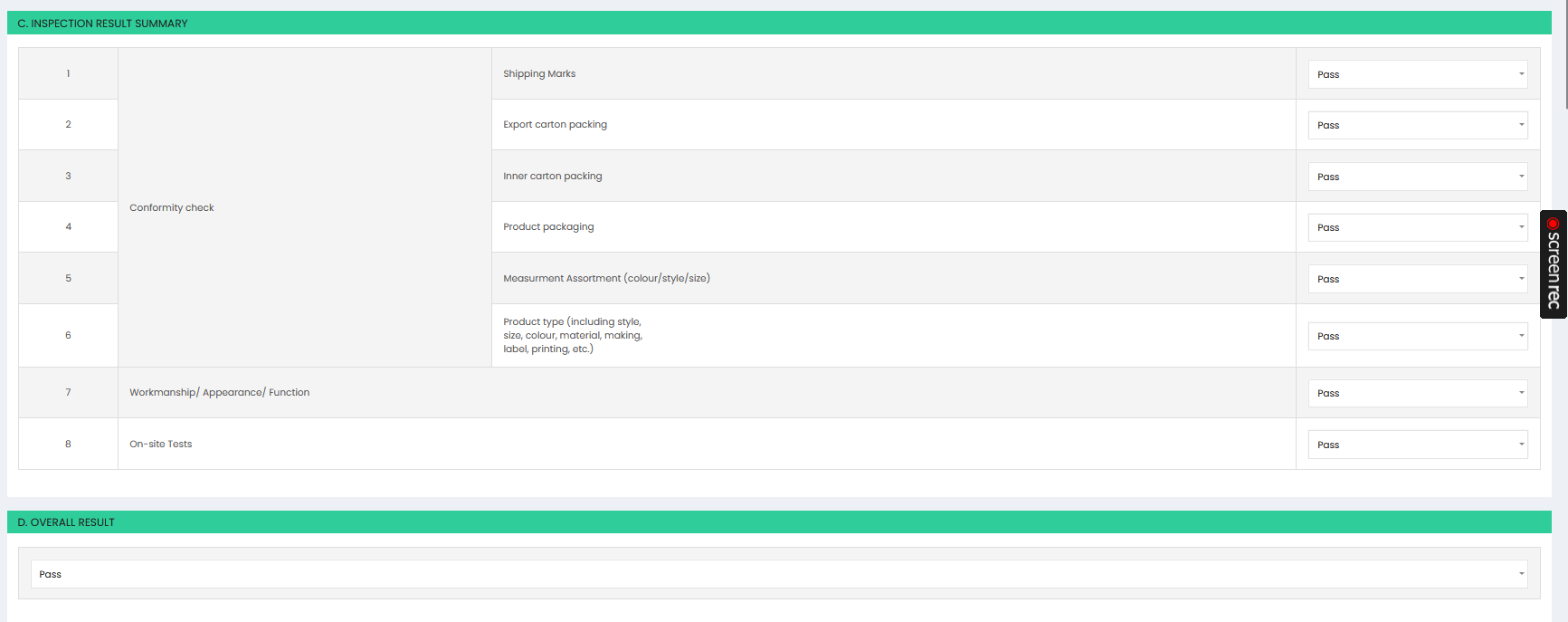
The Inspection Result Summary section records the results of individual inspection criteria.
The inspection criteria include:
- Shipping Marks
- Export carton packing
- Inner carton packing
- Product packaging
- Measurement Assortment (colour/style/size)
- Product type, including style, size, colour, material, making, label, printing, and related details
- Workmanship / Appearance / Function
- On-site Tests
For each inspection criterion, select the applicable result, such as Pass.
Overall Result
The Overall Result section displays the final inspection outcome. Select the appropriate overall result, such as Pass, based on the inspection results.