


The Order Status & Tracking section provides an overview of the order and allows users to monitor its current status and progress.
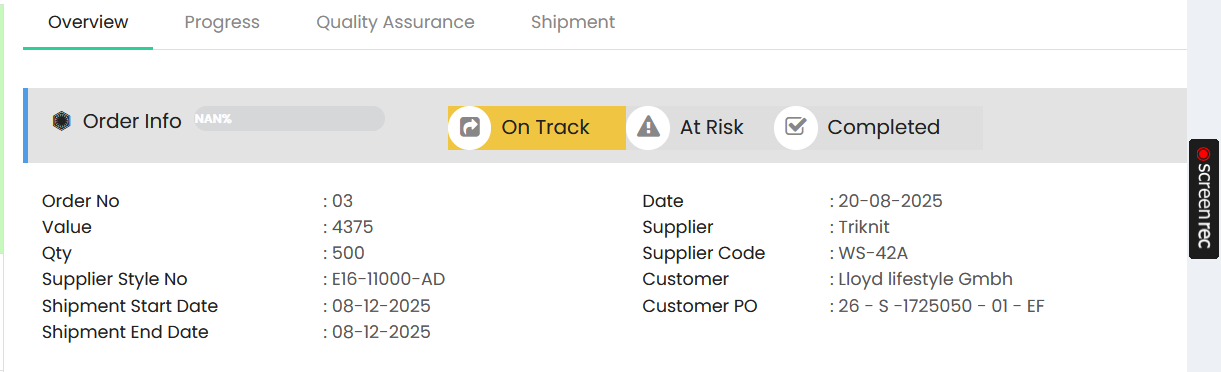
Order Status
The order status can be viewed using the available status indicators:
- On Track – Indicates that the order is progressing according to the planned schedule.
- At Risk – Indicates that the order may experience delays or requires attention.
- Completed – Indicates that the order has been completed.
Order Info
The Order Info section displays the key details of the order:
- Order No – Displays the order number.
- Date – Displays the order date.
- Value – Displays the total order value.
- Qty – Displays the total order quantity.
- Supplier – Displays the supplier name.
- Supplier Code – Displays the supplier code.
- Supplier Style No – Displays the supplier style number.
- Customer – Displays the customer name.
- Customer PO – Displays the customer purchase order number.
- Shipment Start Date – Displays the planned shipment start date.
- Shipment End Date – Displays the planned shipment end date.
The order tracking page also provides Overview, Progress, Quality Assurance, and Shipment tabs for monitoring different stages of the order.