


Overview
The Quality Reports section in Skynyx BMS provides a centralized view of quality inspection records associated with orders. It includes Measurement Inspection and Product Inspection reports, allowing users to review inspection details, results, comments, remarks, and related order information.
Measurement Inspection

The Measurement Inspection report provides details of measurement-related inspections carried out for orders and products.
Report Filters
Date Range
Select the required date range to filter inspection records. The default selection is Today.
From Date
Select the starting date for the inspection report using the date picker.
To Date
Select the ending date for the inspection report using the date picker.
Order No
Select an order number to view inspection records associated with the selected order. The default option is All.
Search
Click the Search icon to apply the selected filters and display the matching measurement inspection records.
Measurement Inspection Details
The report displays:
- S.No – Serial number of the inspection record.
- Order No – Order associated with the inspection.
- Inspection No – Unique inspection number.
- Date – Date of the inspection.
- Sample Type – Type of sample inspected.
- Product – Product associated with the inspection.
- Comments – Comments recorded during the inspection.
- Generated By – User who generated the inspection record.
Product Inspection
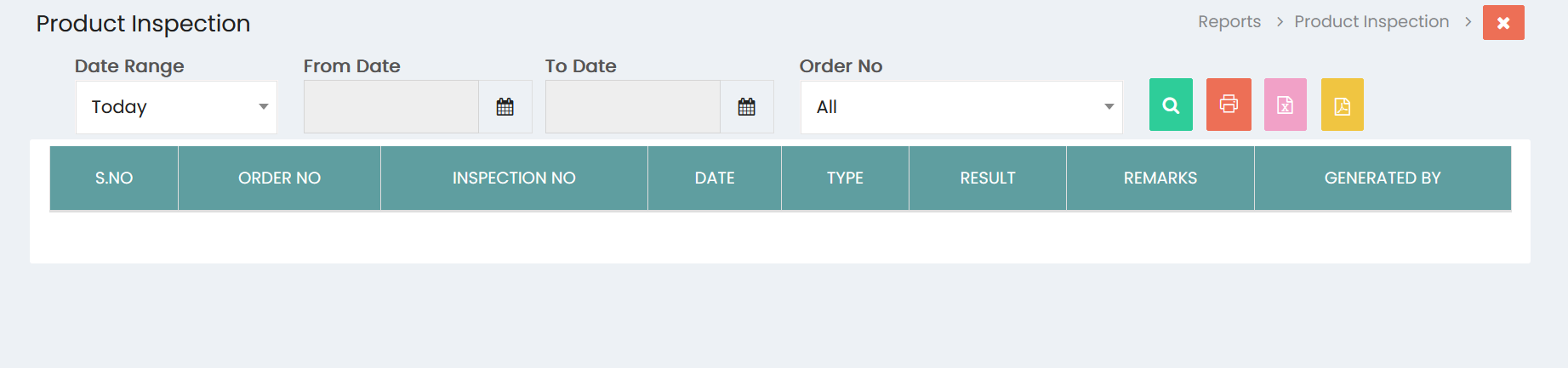
The Product Inspection report provides details of product quality inspections performed against orders.
Report Filters
Date Range
Select the required date range to filter product inspection records. The default selection is Today.
From Date
Select the starting date for the inspection report.
To Date
Select the ending date for the inspection report.
Order No
Select an order number to view product inspection records associated with the selected order. The default option is All.
Search
Click the Search icon to apply the selected filters and display the matching product inspection records.
Product Inspection Details
The report displays:
- S.No – Serial number of the inspection record.
- Order No – Order associated with the inspection.
- Inspection No – Unique inspection number.
- Date – Date of the inspection.
- Type – Type of product inspection.
- Result – Result of the inspection.
- Remarks – Remarks recorded during the inspection.
- Generated By – User who generated the inspection record.
Report Actions
Both Quality Reports provide options to manage and export inspection information:
- Print – Prints the displayed inspection report.
- Excel – Exports the inspection information in Excel format.
- PDF – Exports the inspection information in PDF format.
Quality Report Management
The Quality Reports section enables users to:
- View measurement inspection records.
- View product inspection records.
- Filter inspection records by date range.
- Filter records by order number.
- Review inspection numbers and dates.
- Review sample and product information.
- Monitor inspection results.
- Review comments and remarks.
- Identify the user who generated an inspection record.
- Print quality reports.
- Export quality reports in Excel and PDF formats.