


The Sample Check List feature allows users to create and maintain a checklist for sample quality and product verification.
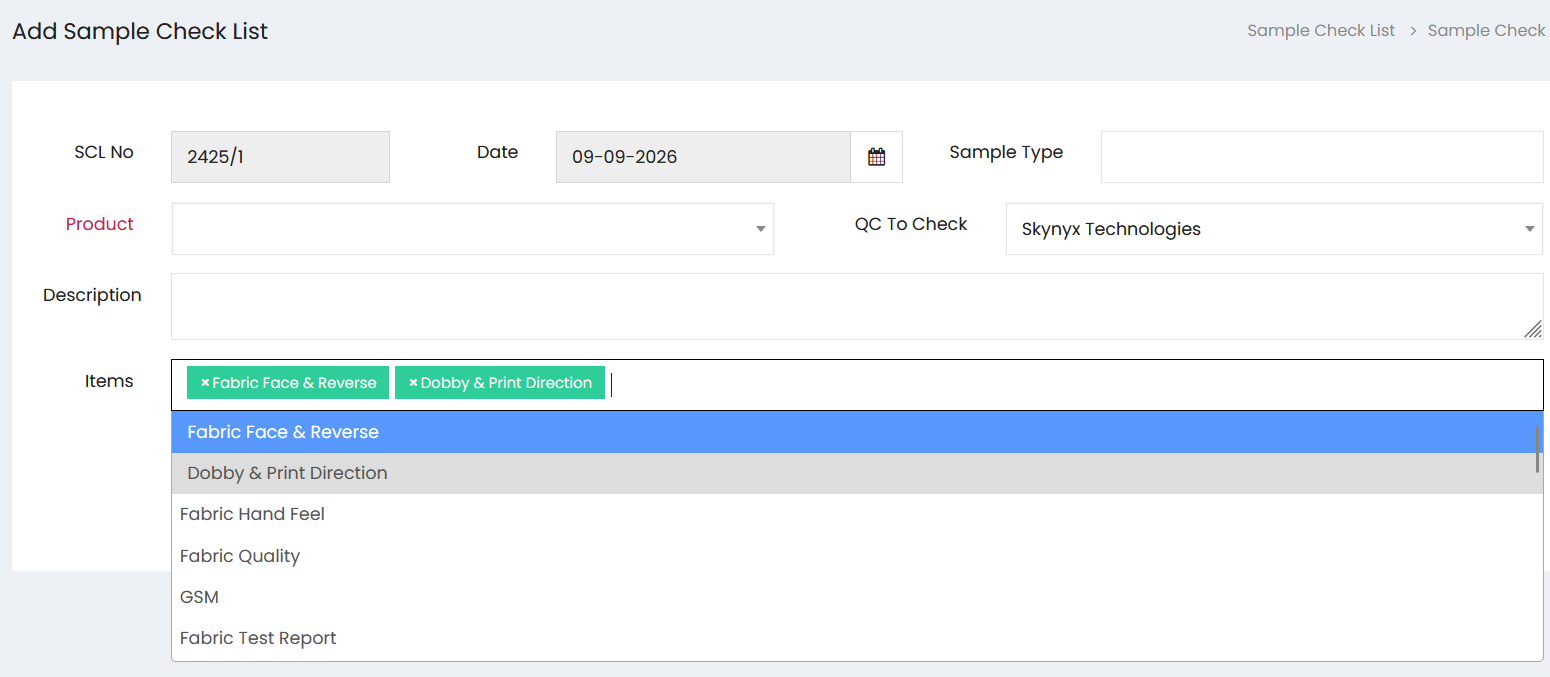
Sample Check List Details
Enter the required information in the Add Sample Check List section:
- SCL No – Displays the sample check list reference number.
- Date – Select the date of the sample check.
- Sample Type – Enter the type of sample being checked.
- Product – Select the product associated with the sample check.
- QC To Check – Select the quality control person or organization responsible for checking the sample.
- Description – Enter a description or additional details about the sample check.
Items
The Items field allows users to select one or more checklist items that need to be verified for the sample.
Available items include:
- Fabric Face & Reverse
- Dobby & Print Direction
- Fabric Hand Feel
- Fabric Quality
- GSM
- Fabric Test Report
Multiple items can be selected and displayed within the Items field to define the checks required for the sample.