


Overview
The Teams & Master Data section in Skynyx BMS is used to organize users into teams and maintain standardized master information required across the system.
It includes Teams for managing team structure and responsibilities, and Master List for maintaining predefined values used in business processes.
Teams
Teams List
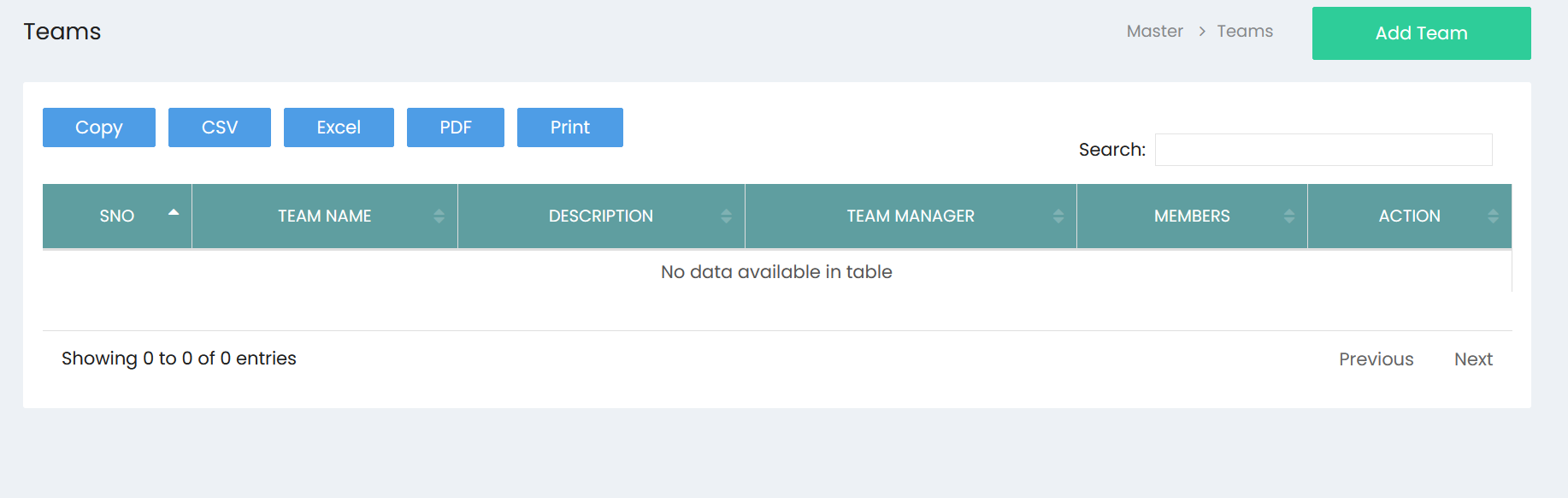
The Teams page displays the teams created in Skynyx BMS.
The team list contains the following information:
- S.No – Serial number of the team.
- Team Name – Name assigned to the team.
- Description – Description of the team and its purpose.
- Team Manager – User assigned as the manager of the team.
- Members – Users assigned to the team.
- Action – Provides available actions for managing the team.
Search
The Search field allows users to find a specific team by entering relevant team information.
Export & Print
The team list provides the following options:
- Copy – Copies the displayed team information.
- CSV – Exports the team information in CSV format.
- Excel – Exports the team information in Excel format.
- PDF – Exports the team information in PDF format.
- Print – Prints the team list.
Add Team
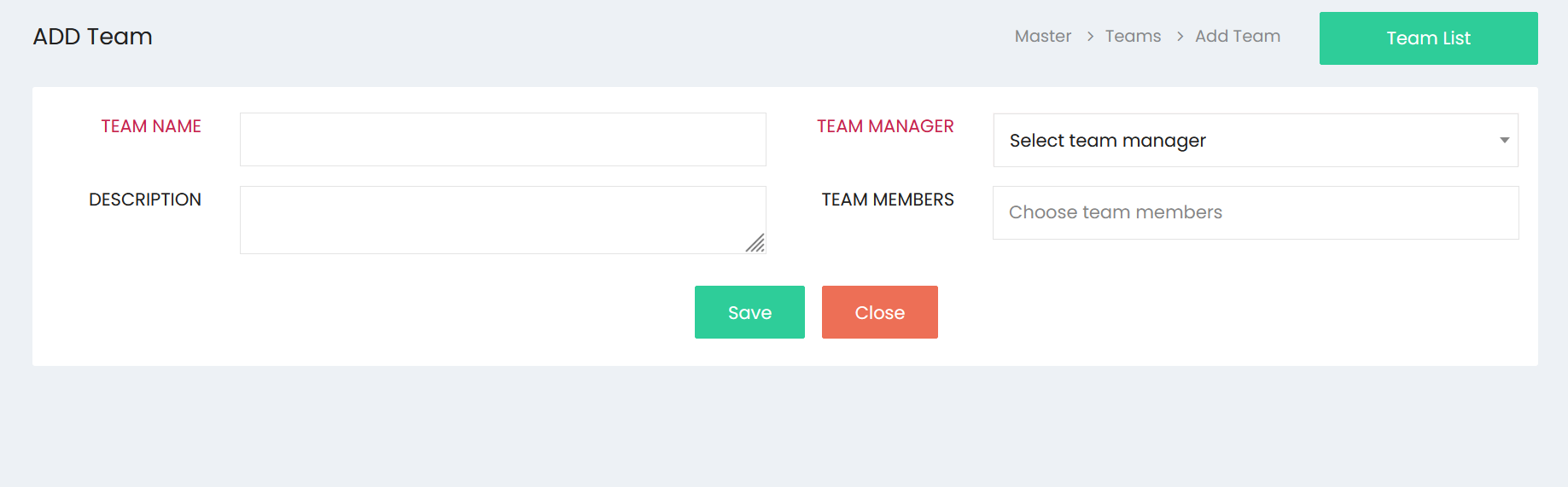
The Add Team page is used to create a new team.
Team Name
Enter the name of the team.
Description
Enter a description explaining the purpose or function of the team.
Team Manager
Select the user who will be responsible for managing the team.
Team Members
Select the users who need to be assigned as members of the team.
Multiple team members can be selected for a team.
Save
Click Save to create and store the team with the selected manager and members.
Close
Click Close to exit the Add Team page without saving the team.
Team List
The Team List option provides access back to the Teams list.
Master Data
Master List
The Master List is used to maintain predefined values that can be used across different areas of Skynyx BMS.
The page contains a Master selection field, a Value field, and an ADD option for creating master values.
Master
Select the required master category from the available options. The selected master category determines the type of value being maintained.
For example, Payment Terms can be selected as a master category.
Value
Enter the value that needs to be added to the selected master category.
For example, payment terms can be maintained as values under the Payment Terms master.
Add
Click ADD to add the entered value to the selected master category.
Master Value List
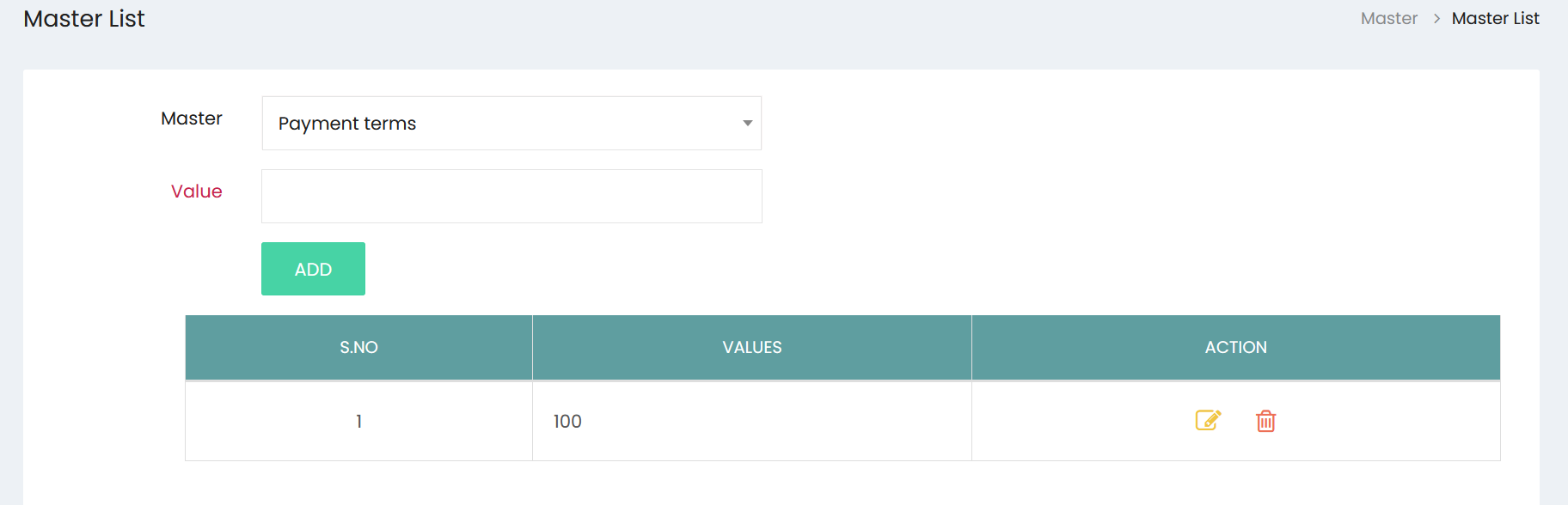
The master value list displays the values maintained under the selected master category.
The list contains:
- S.No – Serial number of the master value.
- Values – Displays the configured master value.
- Action – Provides options to manage the value.
Edit
The Edit option allows users to modify an existing master value.
Delete
The Delete option allows users to remove an existing master value.
Teams & Master Data Management
The Teams & Master Data section enables users to:
- Create and manage teams.
- Assign team managers.
- Assign users as team members.
- Maintain team descriptions.
- Search and review team records.
- Export and print team information.
- Maintain predefined master categories and values.
- Add, edit, and delete master values.
- Standardize commonly used business information across Skynyx BMS.