


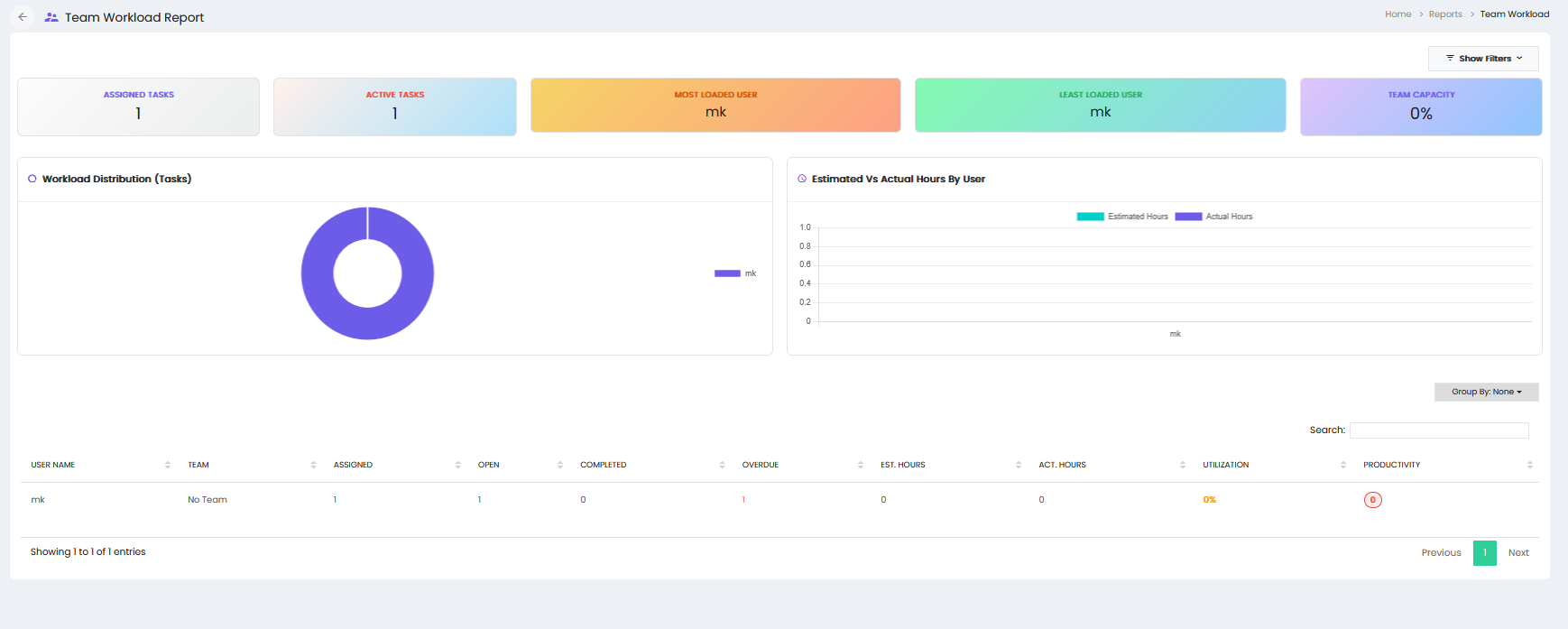
The Team Performance & Workload report provides an overview of assigned tasks, active tasks, workload distribution, estimated and actual working hours, utilization, and productivity.
Summary Metrics
- Assigned Tasks – Displays the total number of tasks assigned to users.
- Active Tasks – Displays the number of currently active tasks.
- Most Loaded User – Displays the user with the highest workload.
- Least Loaded User – Displays the user with the lowest workload.
- Team Capacity – Displays the overall team capacity percentage.
Workload Distribution (Tasks)
The Workload Distribution (Tasks) section displays the distribution of assigned tasks among users.
Estimated Vs Actual Hours By User
The Estimated Vs Actual Hours By User section provides a comparison of estimated hours and actual hours recorded for each user.
Team Performance Details
The report displays user-level workload and performance information in a table with the following columns:
- User Name – Displays the name of the user.
- Team – Displays the team associated with the user.
- Assigned – Displays the number of tasks assigned to the user.
- Open – Displays the number of open tasks.
- Completed – Displays the number of completed tasks.
- Overdue – Displays the number of overdue tasks.
- Est. Hours – Displays the estimated working hours for the assigned tasks.
- Act. Hours – Displays the actual working hours recorded.
- Utilization – Displays the user's workload utilization percentage.
- Productivity – Displays the user's productivity value.
Grouping and Search
- Group By – Allows the report data to be grouped based on the available grouping option.
- Search – Allows users to search for specific user or workload records.
Pagination
The report provides pagination controls to navigate between pages of team performance and workload records.