


The User Roles & Permissions section is used to manage users, profiles, and roles within the system.
Users
The Users tab displays information about active and inactive users.
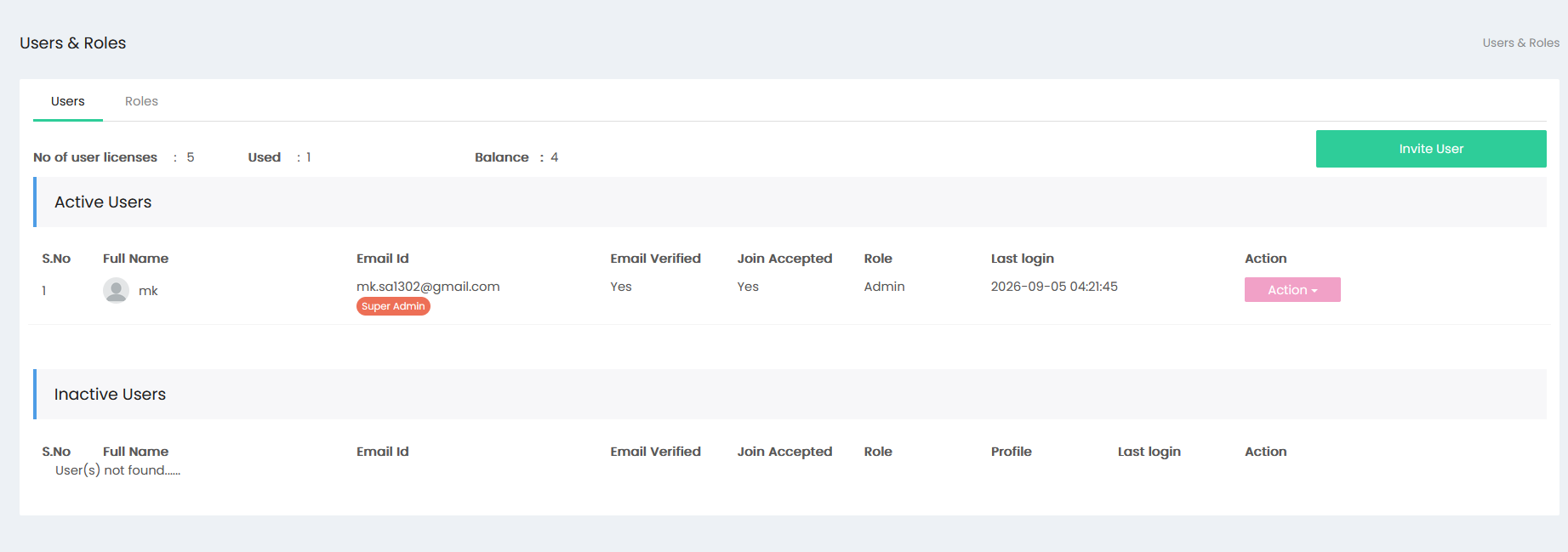
The screen displays the following license information:
- No of user licenses – Displays the total number of user licenses.
- Used – Displays the number of licenses currently used.
- Balance – Displays the number of available licenses.
- Invite User – Opens the user invitation screen.
Active Users
The Active Users section displays users who are currently active.
The following details are displayed:
- S.No – Serial number of the user.
- Full Name – Displays the user's full name.
- Email Id – Displays the user's email address.
- Email Verified – Displays whether the email has been verified.
- Join Accepted – Displays whether the user has accepted the invitation.
- Role – Displays the role assigned to the user.
- Last login – Displays the user's last login date and time.
- Action – Provides actions available for the user.
Inactive Users
The Inactive Users section displays inactive users with details including:
- S.No
- Full Name
- Email Id
- Email Verified
- Join Accepted
- Role
- Profile
- Last login
- Action
Invite User
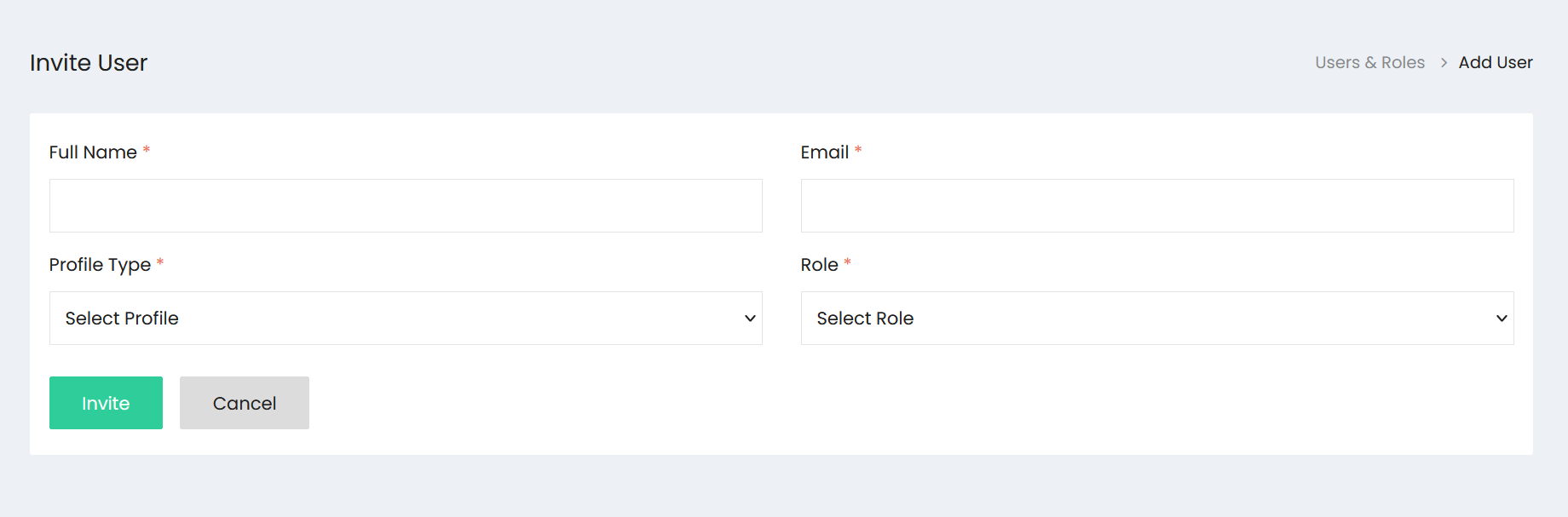
The Invite User screen is used to invite a user to the system.
The following fields are available:
- Full Name* – Enter the user's full name.
- Email* – Enter the user's email address.
- Profile Type* – Select a profile.
- Role* – Select a role.
The available actions are:
- Invite – Sends the user invitation.
- Cancel – Cancels the invitation.
Roles
The Roles tab provides access to role-related settings and management.