


The Dashboard Overview provides access to the main task management features in Skynyx Tasks.
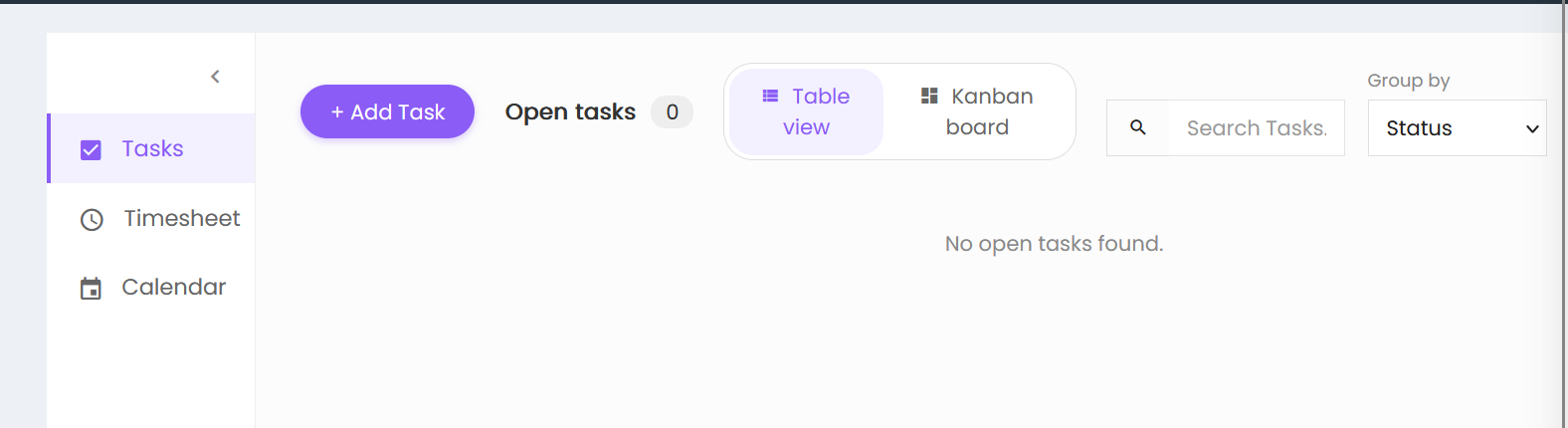
Tasks Dashboard
The dashboard displays the following options:
- Tasks – Displays the task management screen.
- Timesheet – Provides access to timesheet activities.
- Calendar – Provides access to the calendar.
Task Summary
The dashboard displays the Open tasks count, which shows the number of currently open tasks.
Task Views
Tasks can be viewed in two formats:
- Table view – Displays tasks in a table format.
- Kanban board – Displays tasks in a Kanban board format.
Search and Grouping
- Search Tasks – Allows users to search for tasks.
- Group by – Allows users to group tasks based on a selected option. The available selection shown is Status.
Add Task
The + Add Task button is available to create a new task.