


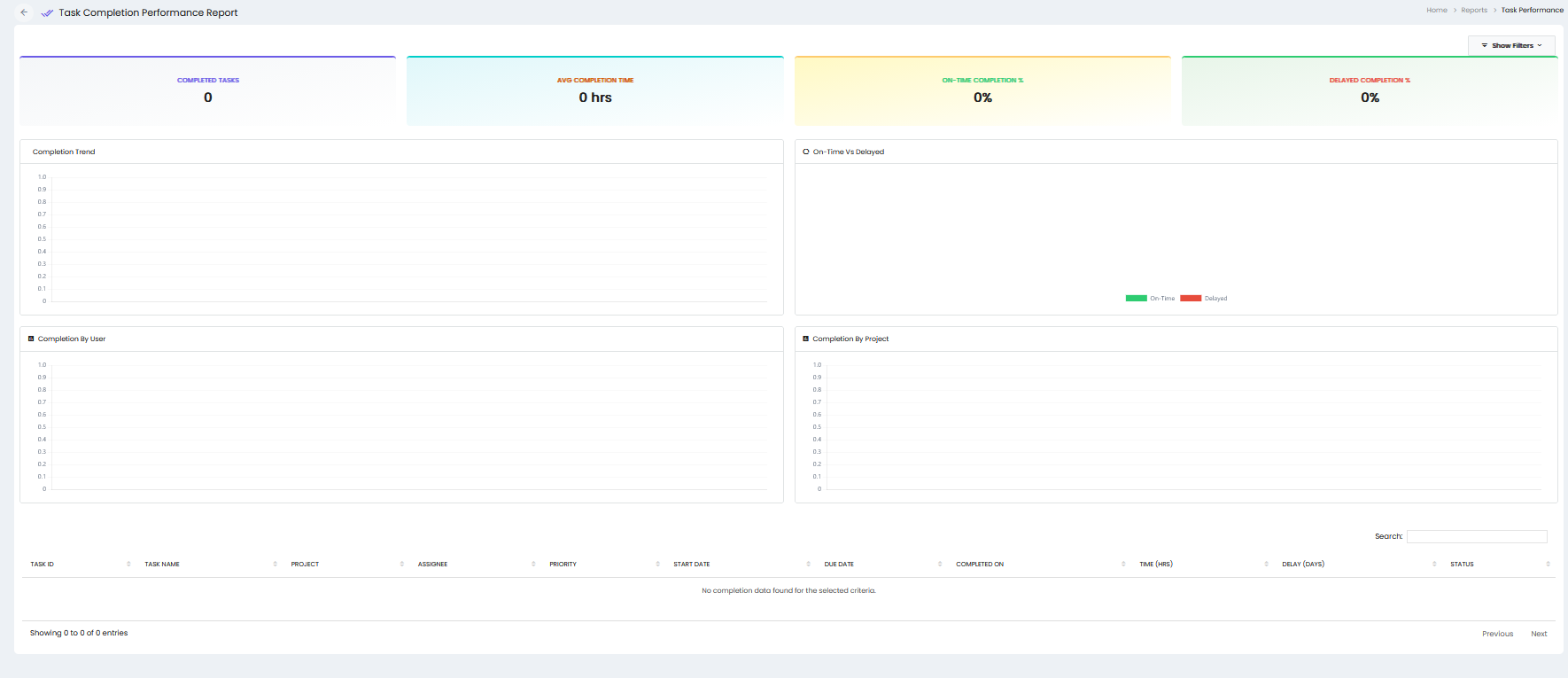
The Task Completion Performance report provides an overview of task completion status, completion time, on-time performance, delays, and task completion details.
Summary Metrics
- Completed Tasks – Displays the total number of completed tasks.
- Avg Completion Time – Displays the average time taken to complete tasks in hours.
- On-Time Completion % – Displays the percentage of tasks completed on or before the due date.
- Delayed Completion % – Displays the percentage of tasks completed after the due date.
Completion Trend
The Completion Trend section displays the task completion trend based on the selected criteria.
On-Time vs Delayed
The On-Time vs Delayed section provides a comparison of tasks completed on time and tasks completed with a delay.
Completion By User
The Completion By User section displays task completion information based on the assigned users.
Completion By Project
The Completion By Project section displays task completion information based on projects.
Task Completion Details
The report displays detailed task completion information in a table with the following columns:
- Task ID – Displays the unique ID of the task.
- Task Name – Displays the name of the task.
- Project – Displays the project associated with the task.
- Assignee – Displays the user assigned to the task.
- Priority – Displays the priority of the task.
- Start Date – Displays the task start date.
- Due Date – Displays the task due date.
- Completed On – Displays the date on which the task was completed.
- Time (Hrs) – Displays the time taken to complete the task in hours.
- Delay (Days) – Displays the number of delayed days.
- Status – Displays the current completion status of the task.
Search and Filters
- Show Filters – Provides filtering options for the report.
- Search – Allows users to search for specific task completion records in the report table.
Pagination
The report provides pagination controls to navigate between pages of task completion records.