


The Overdue Tasks section provides an overview of overdue tasks and displays related overdue information.
Overdue Summary
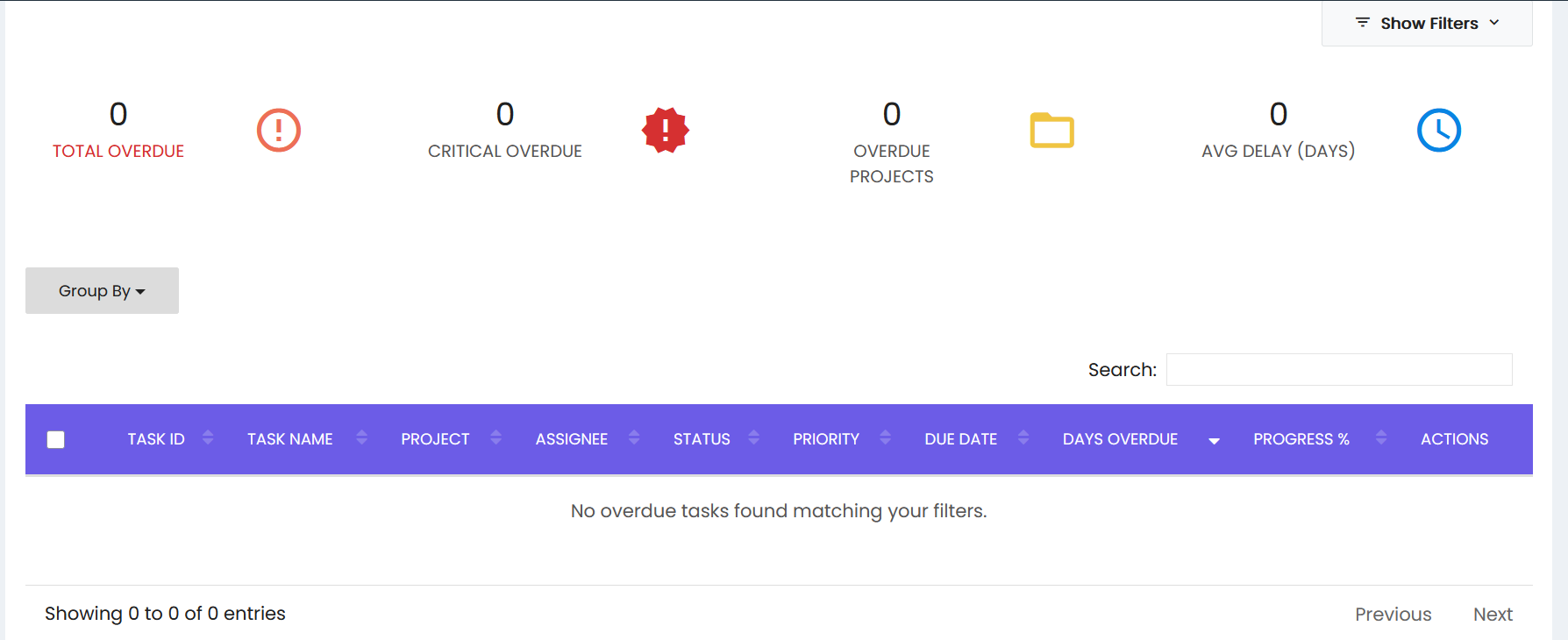
The screen displays the following summary details:
- Total Overdue – Displays the total number of overdue tasks.
- Critical Overdue – Displays the number of critically overdue tasks.
- Overdue Projects – Displays the number of projects with overdue tasks.
- Avg Delay (Days) – Displays the average delay in days.
Filters and Search
The screen provides the following options:
- Show Filters – Provides access to available filtering options.
- Group By – Allows the displayed overdue tasks to be grouped.
- Search – Allows users to search for overdue tasks.
Overdue Tasks List
The overdue task list displays the following columns:
- Task ID – Displays the task identifier.
- Task Name – Displays the task name.
- Project – Displays the associated project.
- Assignee – Displays the employee assigned to the task.
- Status – Displays the task status.
- Priority – Displays the task priority.
- Due Date – Displays the task due date.
- Days Overdue – Displays the number of days the task is overdue.
- Progress % – Displays the task progress percentage.
- Actions – Provides available actions for the task.
The list also includes selection checkboxes, sorting options, and pagination controls.